Function extension:
A new firmware version for an i950 connected to a Lenze controller via EtherCAT can be downloaded using the menu commands 'Reset Warm' or 'Reset Cold' (menu 'Online').
Included in the following products:
Controller c430 from V1.15
Controller c520 from V1.15
Controller c550 from V1.15
Application;
In a running machine, the firmware version of an i950 servo inverter connected to a Lenze controller must be updated. The EASY Firmware Loader or the PLC Designer can be used for this purpose.
If the PLC project is not to be transferred again via the PLC Designer, the new firmware can be set in the PLC project on the "Firmware/Parameter set" tab of the i950:
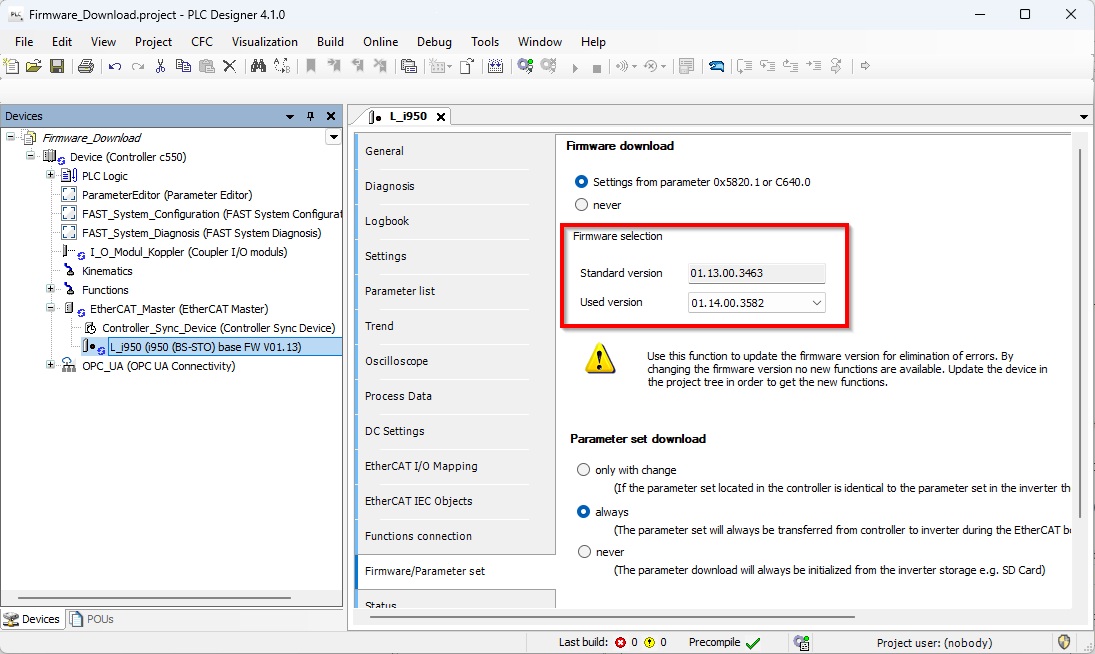
When logging into the controller with PLC Designer, a dialog box appears where the firmware can be loaded into the controller: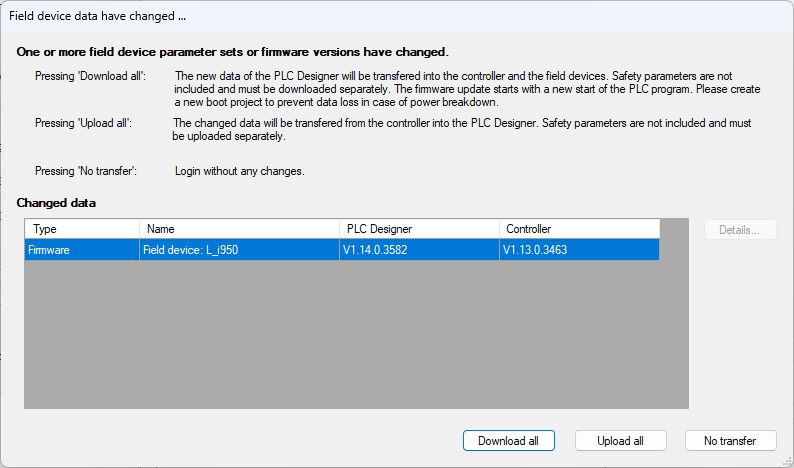
PLC processing (i.e., machine operation) is not interrupted by the download.
Only after the "Reset Warm" or "Reset Cold" command does the Lenze controller transfer the new firmware to the i950. These commands naturally stop PLC processing.
It is still possible to trigger the firmware download by switching on the power supply.
[Automatic Translation]
