Why does GDC light not find a *.pdb file for the application project?
Answer/cause:
DDS has not generated a *.pdb file.
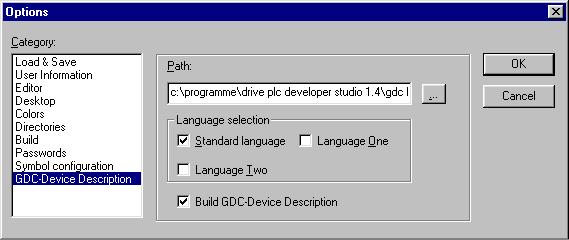
To ensure that this file is generated, in DDS the target directory must be selected correctly under menu item 'Project -> Options... -> Category: GDC device description'.
After standard installation this is set to the following path:
C:\Programme\Drive Developer Studio 1.4\GDC Light\pdb\049
Also, in the settings window there must be a tick in the box 'Create device description'. If all the settings are correct, after each compilation a *.pdb file with the name of the project will be copied into the target directory.