Logbooks in Lenze controller-based systems: Lenze logbook (permanently saved) and PLC logbook (not saved fail-safe)
Question: Which logbooks are available in Lenze controller-based systems and which data/what information do they contain?
Answer:
Two logbooks are available for the Lenze 3200C, p500, C300, and p300 controllers.
1. PLC logbook (PLC logbook, only stored in a volatile memory):
Application: First analysis based on the most recent events in the PLC.
The PLC logbook only contains the log data generated by the PLC.
The log data is only saved in a volatile memory, i.e. not safe against mains failure.
When switching the mains, the PLC logbook will be deleted. I.e. when switching on the mains again, the logbook does not contain any entries.
p500 controller: The PLC logbook is displayed in the PLC output window
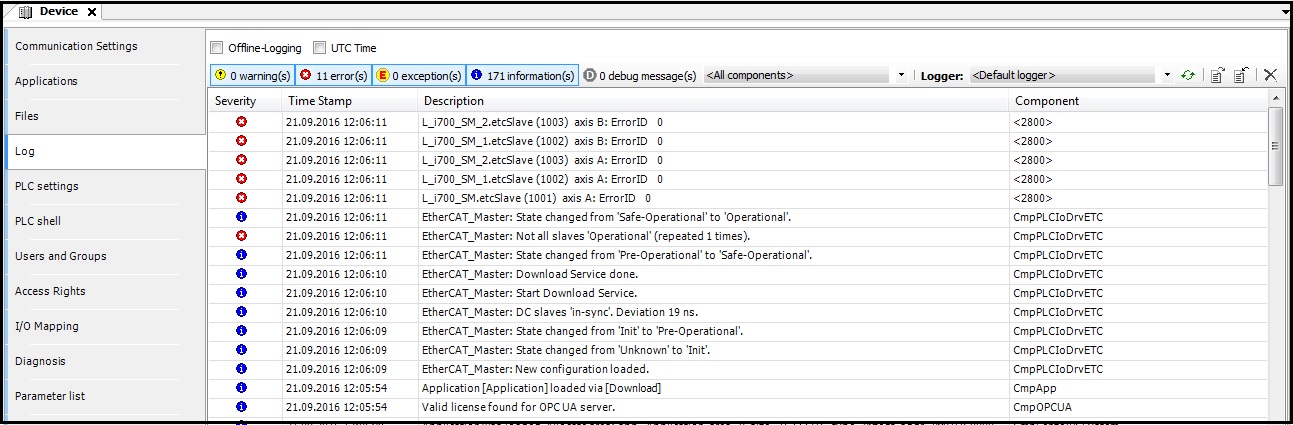
PLC Designer: The PLC logbook is displayed under "Device" / "Log":
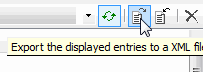
Via the buttons (top right), the current PLC logbook entries can exported as an xml file to: - a USB memory (3200C, p500), - the SD card (c300, p300):
2. Lenze logbook (IPC logbook, saved fail-safe):
Application: In-depth analysis based on the log data saved over a longer period of time. Support enquiries should always be accompanied by the Lenze logbook.
The Lenze logbook represents the "overall logbook" and is saved fail-safe (persistently).
It contains the following log data: - Log data from the controller, - other messages, e.g.from the: EtherCAT stack or CAN bus, - as well as, most log data of the PLC logbook (errors, exceptions, and warnings). - The log data of the PLC logbook categorised as "Information" is not included to make sure that the IPC logbook will not be overloaded.
In the default setting, the log data of the IPC logbook categorised as "Information" is not displayed. The display of log data categorised as "Information" can be activated in the LogViewer --> Settings.
With the 'Export' function of the browser-based "WebConfig" tool, you can save the Lenze logbook on a USB memory stick. For this, the "WebConfig" can be started via the Lenze "PLC Designer" engineering tool. The export is activated via the "ExportLog" button:
You can select specific settings for the Lenze logbook. E.g.: the maximum number of logbook entries:
In both logbooks, the following applies to the time stamps of the logbook entries:
The time stamps have a resolution of 1 s. This value cannot be changed.
If several events occur in one second, the same time stamp will be assigned to them.
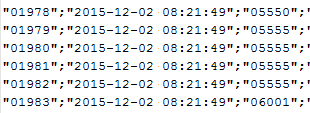
The entries are entered in the order of occurrence. The consecutive number shows the sequence of the individual entries: