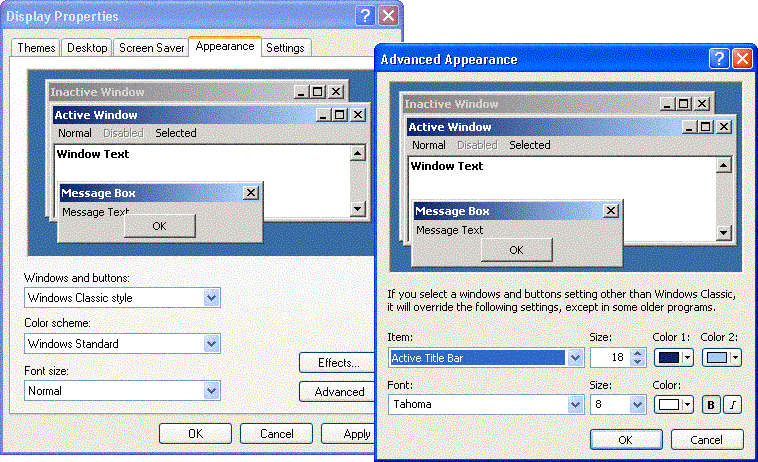
After the installation of another software on a PC the font in the GDC menus and dialogs has changed.
Why does the installation of another software affect GDC and how can I return to the previous setting?
Answer:
Global Drive Control uses Windows settings for the text display. If Windows settings are changed when another program is installed, these settings also affect GDC.
The font type and size can be changed as follows under Windows XP:
open the context menu on the desktop and select Properties with the right mousebutton => 'Display properties' is opened
click the button 'Advanced' in the tab ''Apparence'
on the desktop, you can select individual elements and adapt the field 'Font' and 'Font size'.