How can I save an individual project as a template using Drive Developer Studio (DDS)?
Answer:
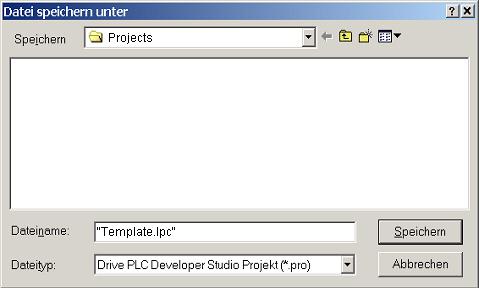
Templates for PLC projects are saved with the extension '.lpc' in the Drive Developer Studio (DDS). This file type cannot be selected directly in the DDS dialog field 'Save file as'. To create a template the file name must be entered completely (ie with extension) in this field and put in quotation marks.
After this, you can open the file under 'File -> New with template' and use it like a Lenze template.