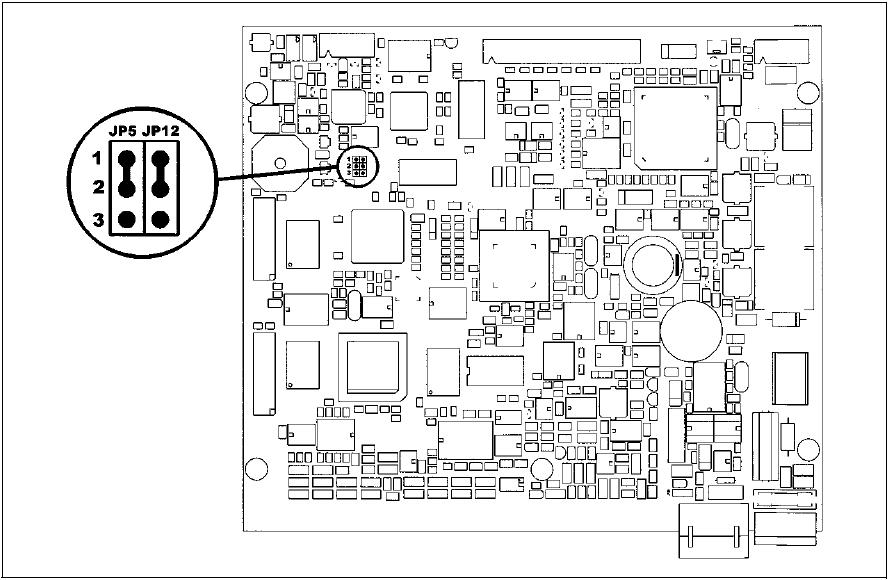
The keys shown on the panel can only be activated, if the screen next to the keys is touched. Can the panel be re-adjusted?
Answer:
1. Switch panel off
2. Eliminate housing
3. Search JP5 and JP12
4. Set bridge to PIN2-3
5. Switch panel on
6. Execute calibration according to instructions on the screen
7. Switch panel off
8. Re-set JP5 and JP12 to PIN1-2
9. Close housing
10. Switch panel on
=> Configuration is finished!