Question:
Self-created application for i950 (TA-User):
How can the required EtherCAT ESI file (device description file) for e.g. Beckhoff TwinCAT be generated?
Reply:
In the PLC Designer it is possible to export an EtherCAT ESI file. The individual steps are described below:
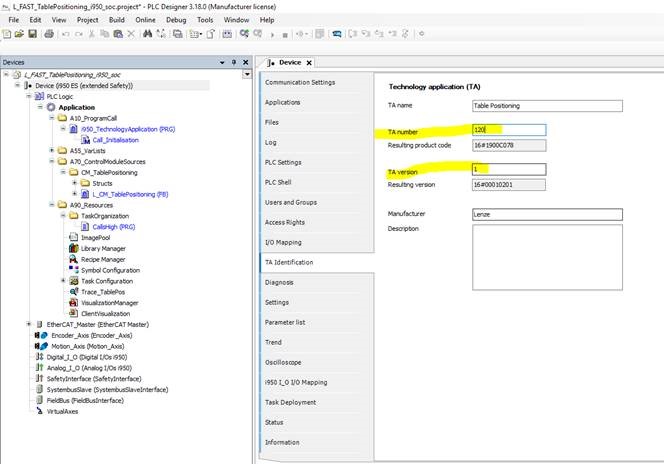
The "TA Identification" folder is located in the device tree of the i950 PLC project. An individual TA number must be assigned in this folder. This must be higher than 100, because numbers up to 100 are reserved for Lenze TAs.
=> Important: The resulting product code and the version are part of the EtherCat product code to be used to identify the device on the EtherCat.
The PLC project must be recompiled after the TA number has been assigned. => Menu entry "Create", then "Generate code".
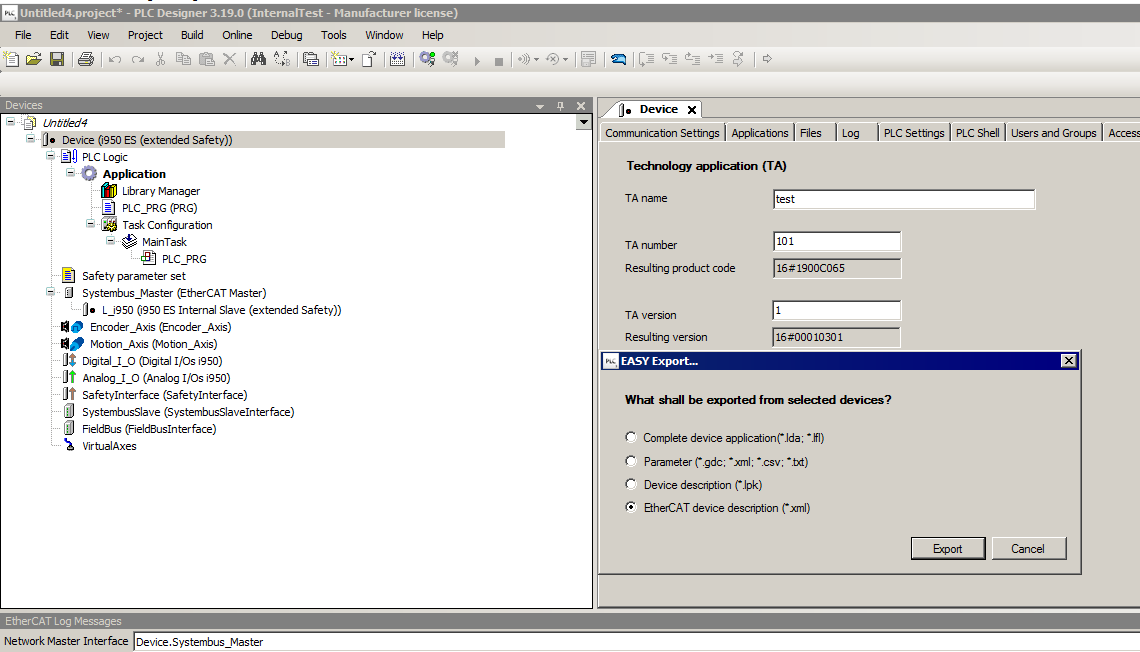
As of PLC-Designer V03.19, the ESI file (device description) can be exported directly under menu "Project / EASY Export / EtherCat Device Description (*.xml)":
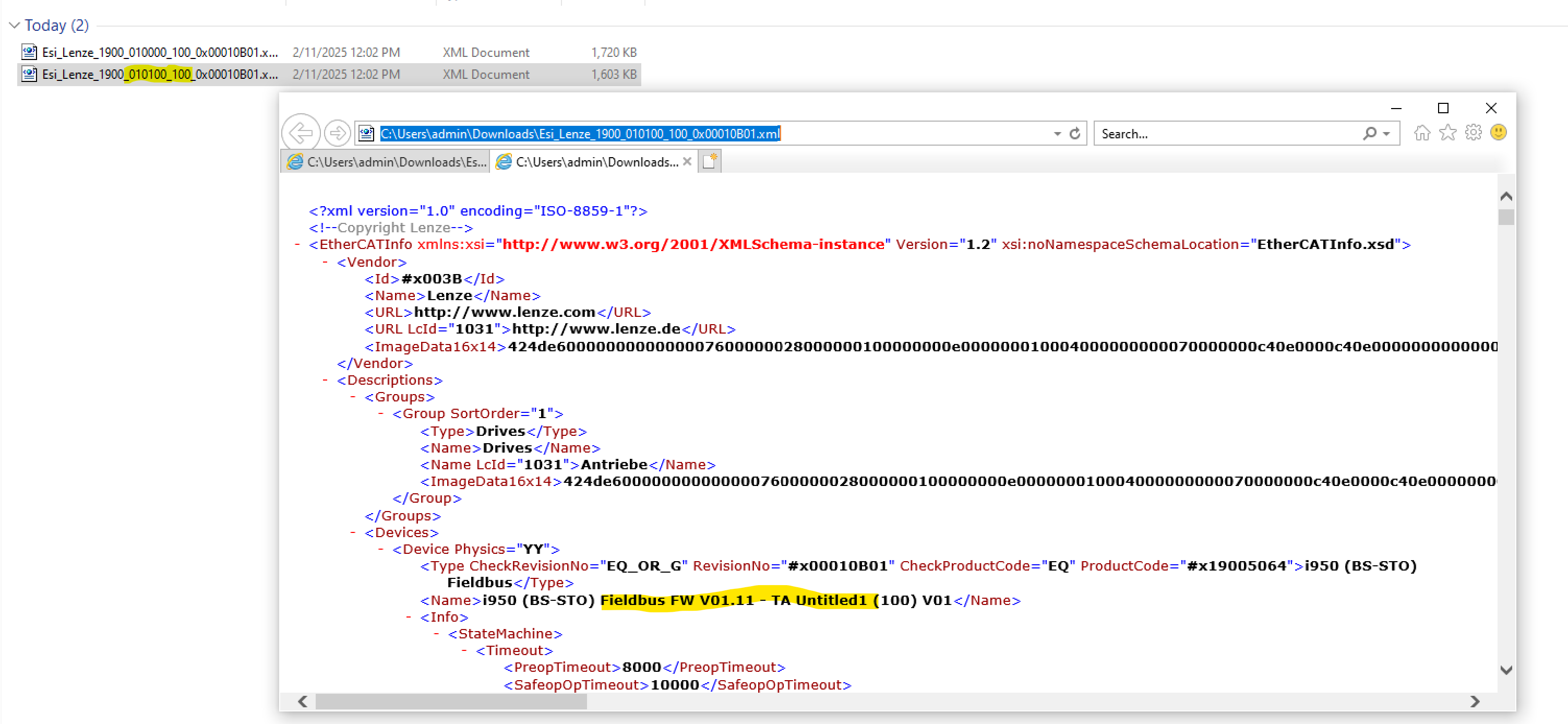
Two ESI files are created. One is for the OnBoard EtherCat, the other for the optional EtherCat fieldbus module. Which one belongs to which interface can be determined by checking the name with a suitable tool (e.g. text editor) after opening the file.