Why does the PLC Designer project change when switching to a different controller?
Answer:
After creating a new project, PLC Designer automatically configures the project to save the communication settings with the project. This simplifies project creation and commissioning, as the communication settings saved the last time are automatically restored when the project is opened.
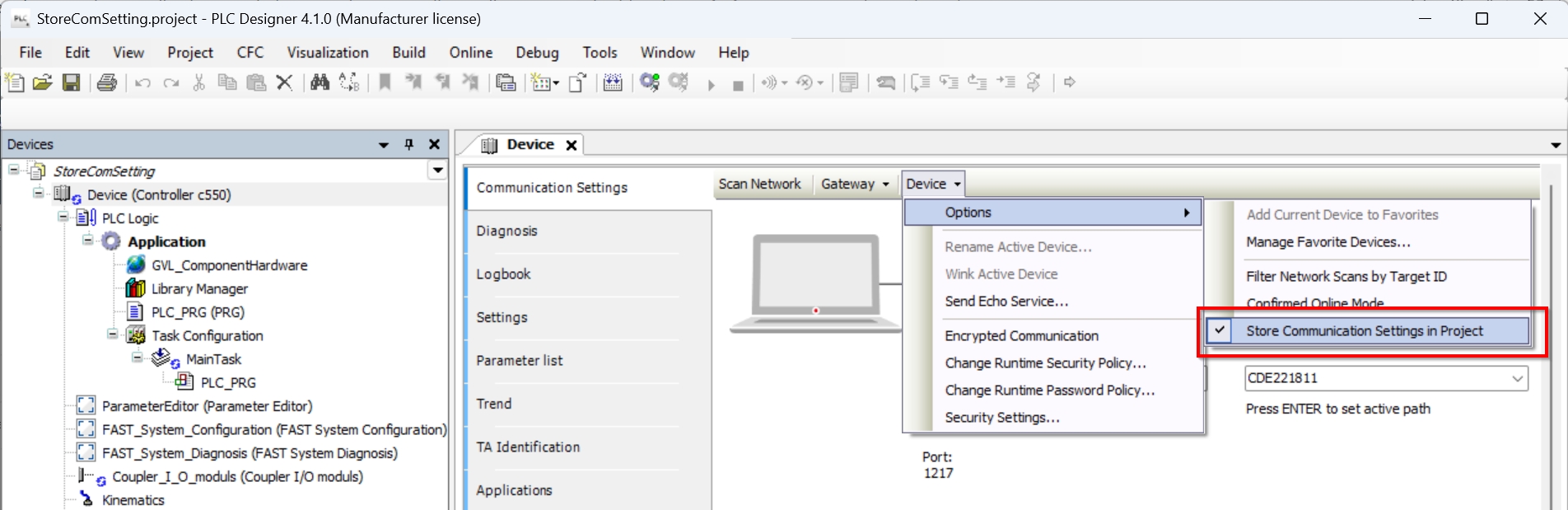
During the commissioning of serial production machines, this behavior can be disruptive, as in this case, the same project is intentionally used to log in to different controllers. Therefore, this behavior can be disabled later. The setting for this is located in the menu 'Device' > 'Options' > 'Store Communication Settings in Project' on the 'Communication' tab of the controller (device):