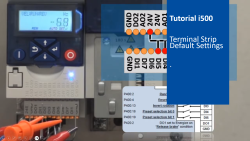
i500 introduction (part 2): Terminal strip with default settings

i550_TerminalStripSettings1_Thumbnail.png

Content:

  1. Run i500 from terminal strip
    1. Connect 24V to DI1 (Running enable)
    2. Connect 24V to DI4 (Activate preset speed 1)
    3. Connect 24V to DI5 (Activate preset speed 2)
    4. Connect 24V to DI4 and DI5 (Activate preset speed 3)
    5. Connect 24V to DI3 (Invert the direction of rotation)

Duration:
1:29 min​


Video:

i500 - Terminal strip default settings


Link list​:

Next video: Keypad setup

Previous video: Three ways to interface


You will find more information about the Lenze training on the Lenze Website: Training Service


URL for linking this AKB article: https://www.lenze.com/en-de/go/akb/202400190/1/
Contact form