Question:
How is a library correctly inserted into the PLC project's library manager?
Answer:
Libraries should always be inserted with placeholder resolution. There are three different types of placeholder resolution:
- Resolved by library profile: the version of the library depends on the selected compiler version
- Resolved by device: the version of the library depends on the selected device and its version (see Device in the device tree)
- Resolved by placeholder redirection: the version of the library is determined by the PLC Designer
The placeholder of Lenze libraries is typically resolved by the device. I.e. when a Lenze library is added, the library version matching the device is automatically inserted. If later in the PLC project the device is updated to a new firmware version, for example, then all Lenze libraries are automatically updated to the version matching the device.
Procedure:
- To insert a library with placeholder into the PLC project, open the library manager in the device tree (tab 'Device').
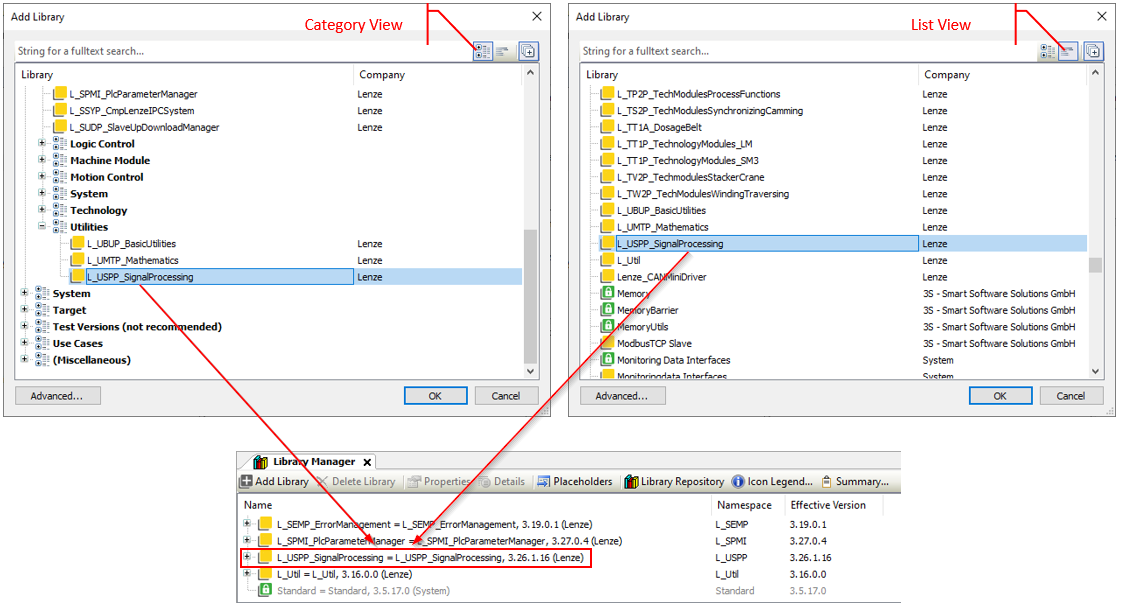
- Open the 'Add Library' dialogue by clicking on the <Add Library> button.
- The <category view> and <list view> buttons can be used to switch the display of the libraries in this dialogue.
- If you select a library and click on <OK>, the library with placeholder is inserted into the PLC project.
In the library manager, you can recognise that a library with a placeholder has been inserted by the 'equal sign' in the line of the corresponding library.
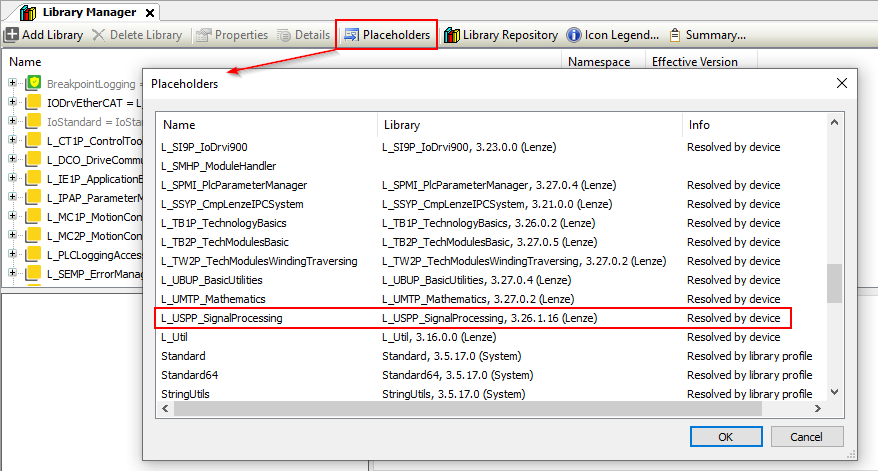
The placeholder resolution of a library is displayed in the 'Placeholder' dialogue (button <placeholder> in the library manager):
ATTENTION (for experts only):
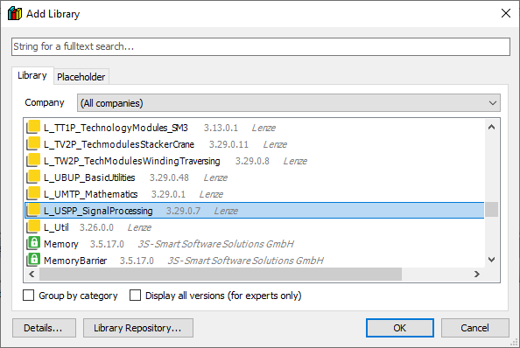
In the 'Add Library' dialogue (see above) there is a button <Advanced>. When this button is pressed, a dialogue opens with which a specific version of a library can be included or a placeholder definition can be changed. This dialogue should only be used with sound knowledge of library referencing.
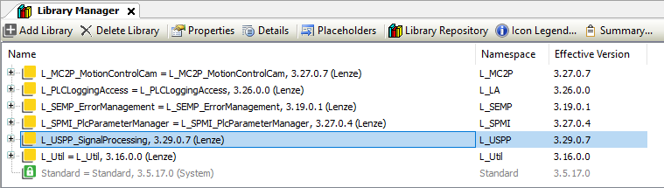
In this case, the selected library is inserted into the library manager with a fixed version and not with placeholders:
A library inserted in this way is always updated to the latest version during a project update - regardless of the selected device. This can lead to conflicts with other libraries and thus to error messages when compiling.
Automatic Translation