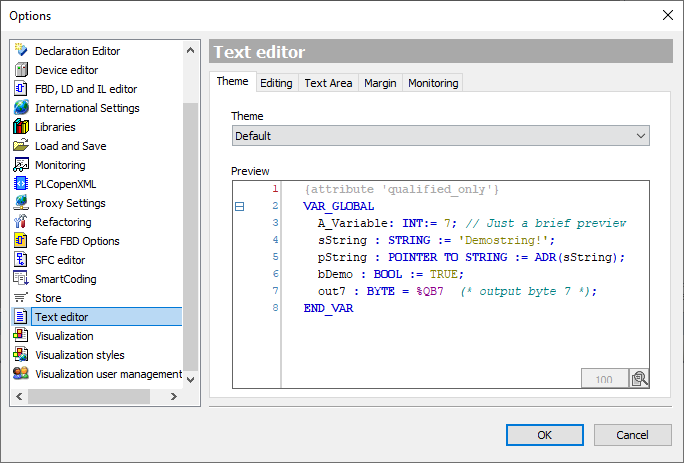
Question: How to change the appearance of keywords, comments,.... (the syntax)?
Answer: Up to and including PLC Designer V3.20, the 'Syntax Highlighting' category existed in the 'Options' dialog (menu command 'Tools' > 'Options...'), with which the display of syntax in the programming editors could be customized. Starting from PLC Designer V3.21 the 'Theme' setting replaces the category 'Syntax highlighting'. In the first step this new function was implemented only for the ST editor. Therefore in the dialog 'Options' in the category 'Text editor' the new tab 'Theme' exists. On this tab you can choose between two different 'themes' by default:
'Default' and
'Dark'.
It is not possible to adjust the colors in the 'Options' dialog.
The settings of both 'Themes' is stored in files (file extension '*.editortheme') in the installation directory of PLC Designer:
With a simple text editor the files can be customized. However, it is recommended to use one of the two files as a template and copy it under a new name into the same directory. When opening the 'Options' dialog, PLC Designer reads all 'Theme' files. Their file names are then automatically displayed in the 'Theme' selection field.
A 'Theme' file is divided into the following areas:
colorNames In this area colors are predefined according to the RGB definition in hexadecimal, e.g. red:#FF0000. Other colors can also be defined and used in the other areas.
colors
general Definition of the general color representation, e.g. for background, foreground,...
iec61131 Definition of the color representation of the PLC logic, e.g. for pragmas, comments, keywords,...
online Definition of the color representation in the online case.
fontStyles
general
iec61131 font style (normal, italic, bold,...) for keywords, errors,...