-
For i510 and i550 cabinet drives a USB Module I5MADU0000000S
will be needed
-
I510 Protec will also require the USB Module
-
I550 Protecs have a built in micro USB port
-
Use a micro USB cable to connect the USB module
to your computer
-
Download the EASY Starter software from www.lenze.com
-
When EASY Starter is downloaded it will install
EASY Package Mangers, EASY Firmware Loader, and EASY Navigator. EASY Navigator
is used to organize all the Lenze software into one window.
-
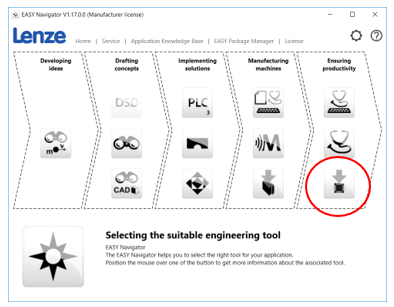
Start by opening EASY Navigator then click on
EASY Package Manager.
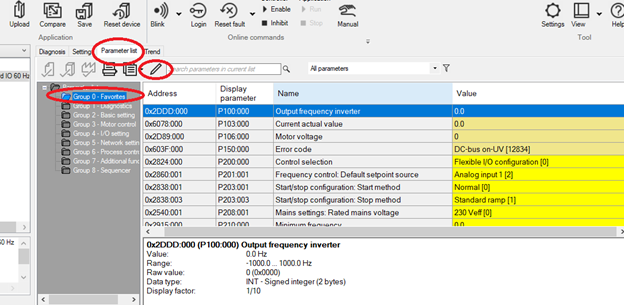
-
Make sure you have all the latest packages
downloaded by performing a search.
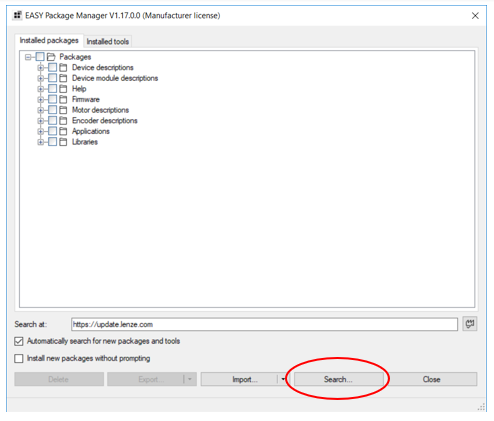
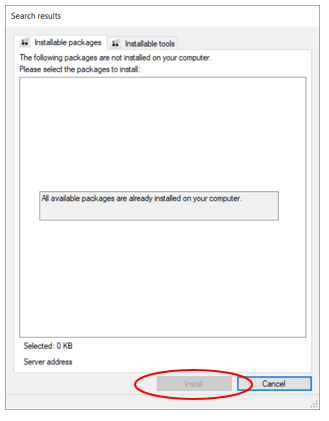
- If you there are any new packages to be installed they will be shown in this window. Just check off the packages you would like installed on your computer then click install at the bottom.
Note: Install is grayed out here because all the latest packages have already been installed on this PC
After
all the packages are downloaded close EASY Package Manger and then open EASY
Firmware Loader
-
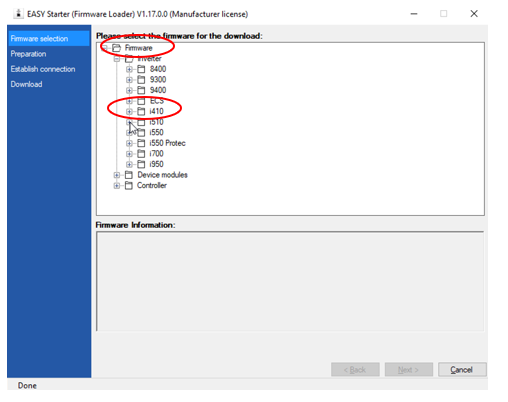
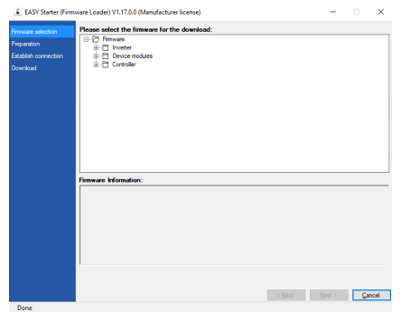
Once EASY Firmware Loader opens expand out the
Inverter folder to select the drive series you want to update the firmware on.
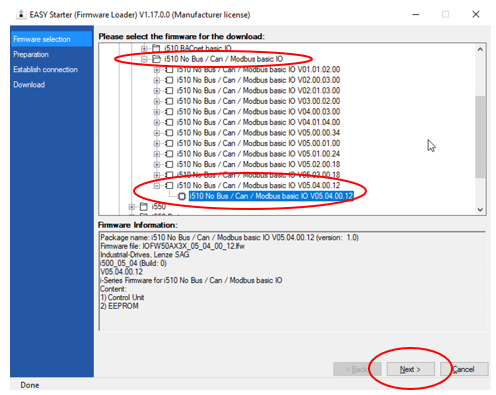
- Select your drive based on the communication protocol or I/O your drive has. Then select the firmware you would like to upgrade to. Click next.
Note: It is always recommended to upgrade to the latest firmware available.
-
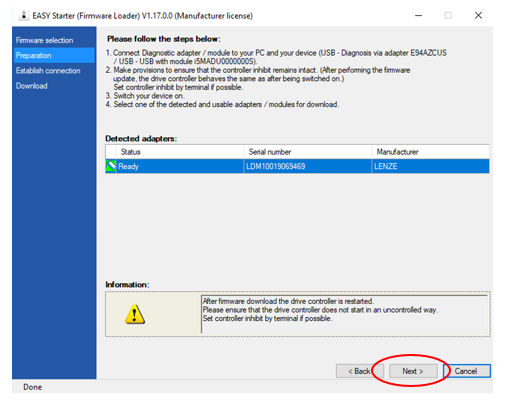
Follow the steps outlined to connect your USB
module and to ensure the drive remains inhibited. Click next.
-
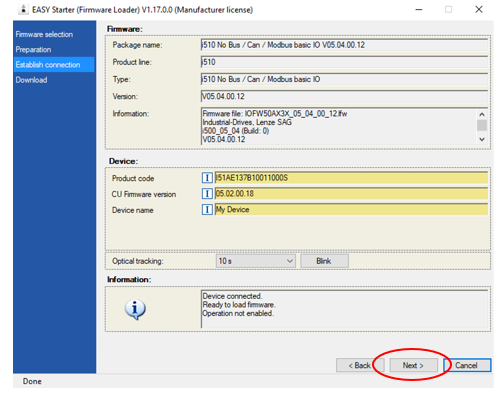
The software will identify which firmware is
already installed on your drive and display which firmware you’re upgrading to.
To begin the firmware download click next.
-
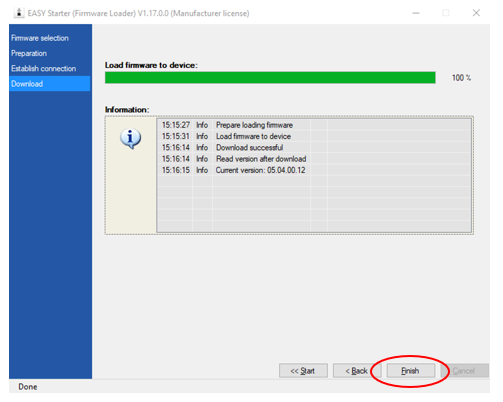
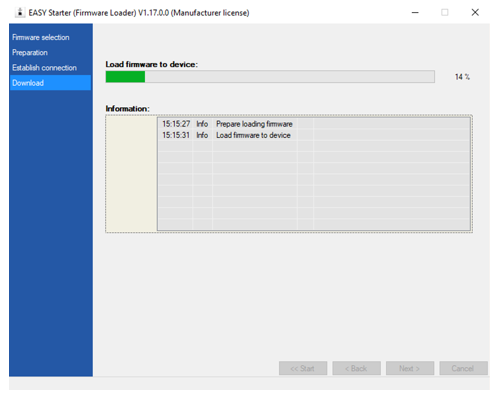
This screen will show the progress for the
download and notify you if any errors occur.
-
After the firmware download is complete click
finish and you’re done.