Question:
What must be observed when using PLC Designer V3 with a high screen resolution (4K, UHD)?
Answer:
If the texts (e.g. in the menu bar) are very small, the following setting can be changed.
These instructions refer to Windows 10 and PLC Designer V3.17. For other Windows or PLC Designer versions, the same procedure must be followed.
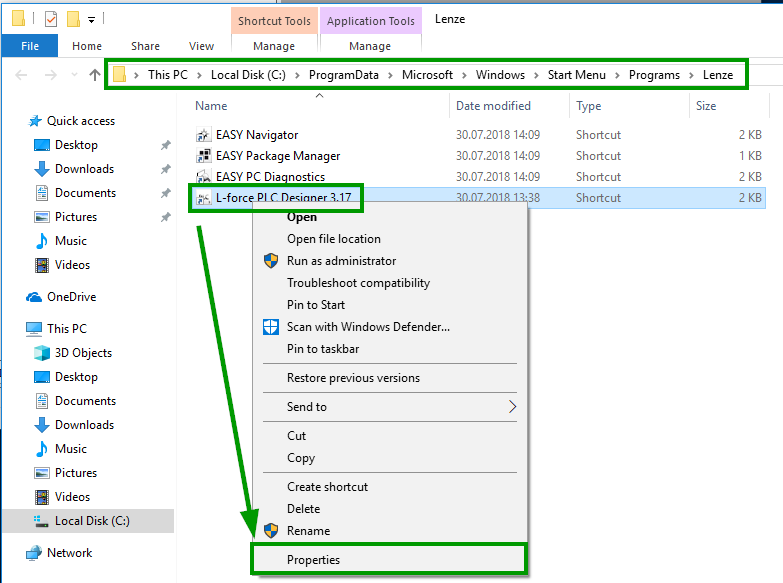
- Open the folder C:\ProgramData\Microsoft\Windows\StartMenu\Programs\Lenze
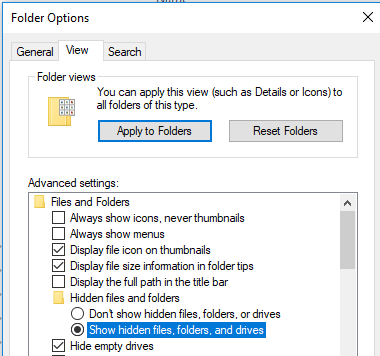
- The ProgramData folder is protected and may not be visible. In this case, please select Show hidden files, folders and drives in the folder options.
- Call the properties of the L-force PLC Designer 3.17 link.
Attention: As of PLC Designer V3.18, this link is located in the Lenze\Engineering subfolder.
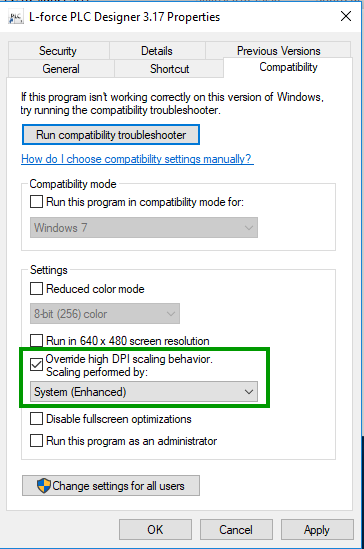
- Go to the compatibility properties, activate the Override high DPI scaling behaviour option and select System (Enhanced).
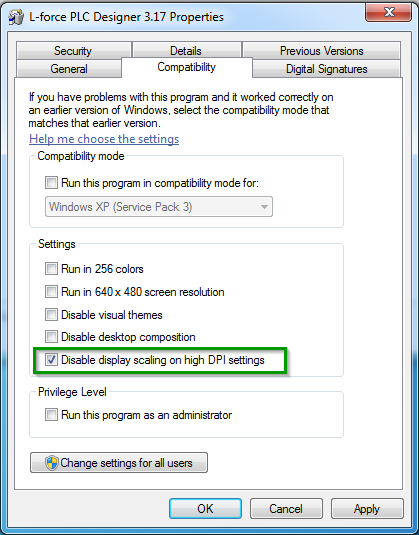
This setting must be changed when using the
Windows7 operating system: