 Question:
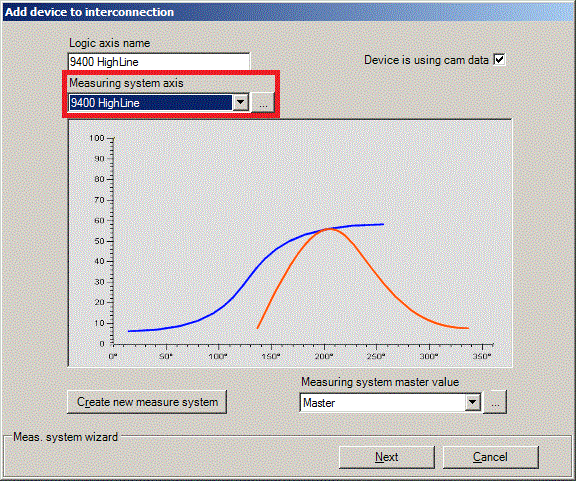
What effects does the selection of a measuring system for the cam axis in the Add device to interconnection dialog have on the machine application 'Electrical shaft'?
Answer:
The selection of the axis-related (y-) measuring system in the above dialog determines which measuring system is permanently assigned to the corresponding drive axis. In the default setting, the axis-related measuring system is automatically newly generated from the selected values of the system block
LS_DriveInterface (C0100, C2520, C2521, C2524, C2525, C2526, C2528, C2536). This need not be changed for typical cam technology applications.
For special applications, you can also select an already existing free measuring system (without previous axis reference) and assign it to the axis. In this case, the proposed measuring system will not be created. Selecting a measuring system at this point does not restrict the usability of all measuring systems for the axis. To each curve, any measuring systems from the existing measuring system pool can be assigned in the
Cam Manager later on. At this point, you only define the axis reference of a selected measuring system.
IMPORTANT: If a measuring system other than the proposed axis measuring system from
LS_DriveInterface is selected, the data of the selected measuring system will be overwritten with the settings of the system block
LS_DriveInterface! In this case, all curves using this measuring system must be checked.
Search terms: Electronic cam profiler, cam, cam technology, curve, axis measuring system, measuring system
