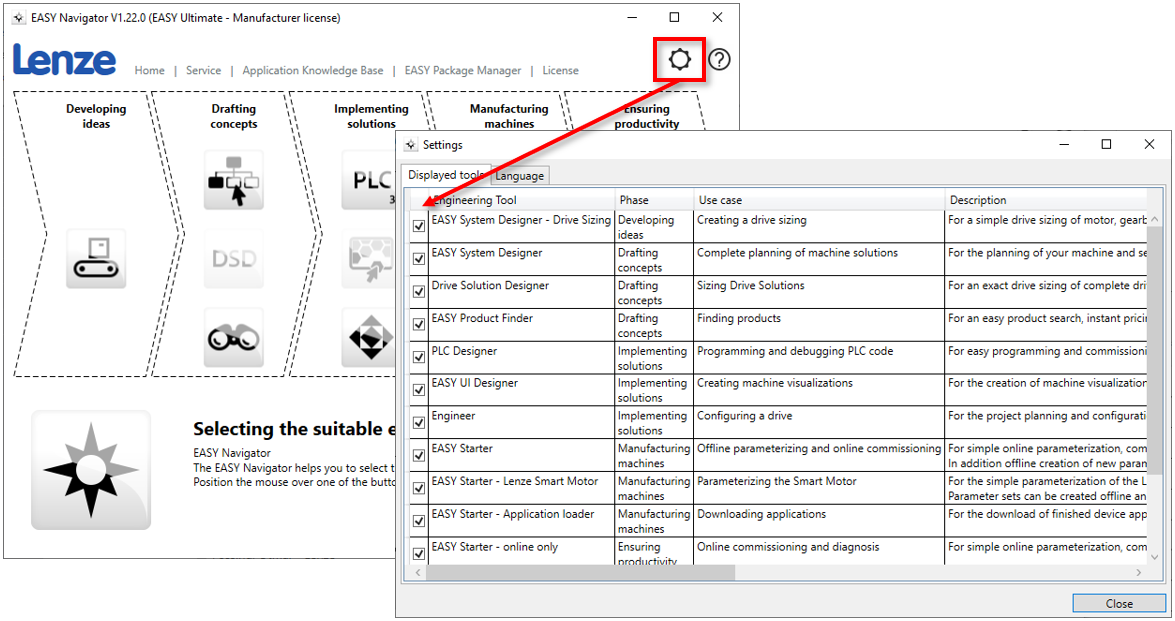
Question: Can buttons for starting Lenze software tools be hidden from the EASY Navigator?
Answer: Yes, the 'Settings' dialog of EASY Navigator can be opened via the number wheel icon. This dialog has the tabs:
'Displayed tools' and
'Language'
By means of a checkbox you can select in the tab 'Displayed tools' which buttons should be displayed in the EASY Navigator. Tools that are not installed on the PC are displayed grayed out by EASY Navigator. To improve clarity, these buttons can be hidden via the 'Settings' dialog.