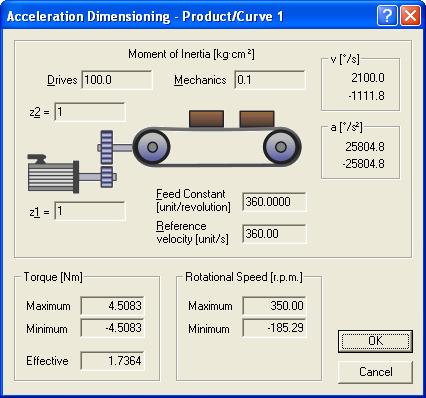
Acceleration dimensioning in the Engineer for cam profilers with Servo Drives 9400 HighLine
Question:
How can the Acceleration dimensioning dialog in the Cam Editor / Cam Designer of the Engineer software be called?
Answer:
Proceed as follows:
1. Go to the Engineer project tree and click the machine application Electrical shaft (behind this application you can, among other things, find the Cam Editor / Cam Designer).
2. Click the Cam Manager tab.
3. Call the context menu for the profile (matrix element) for which the acceleration sizing is to be displayed and click Acceleration Dimensioning...
The Acceleration dimensioning dialog appears.