Question:
How can libraries be created in relation to a project file?
Answer:
In order to create files in relation to a project following steps are required:
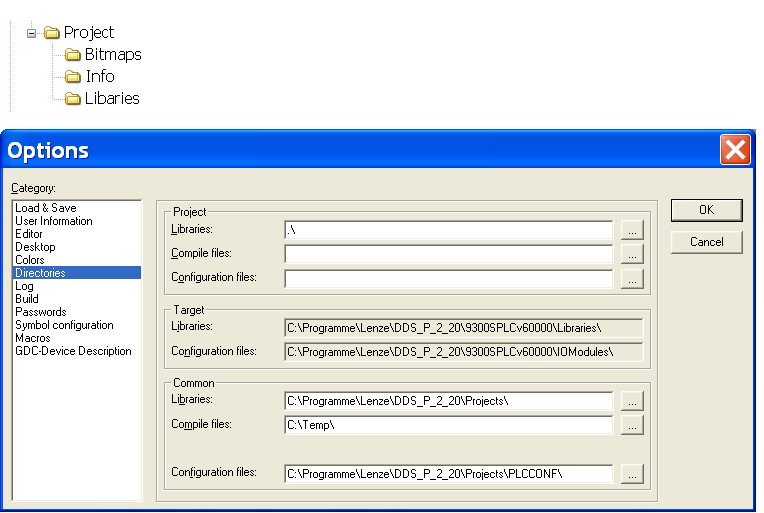
1. The files belonging to the project (libraries, bitmaps, …) are to be created in relation to the project, e. g. in the Windows Explorer.
2. With the menu command Project>Options category Directories open the following dialog and enter just '.\' in the input field Libraries. In the input fields Compile files and Configuration files nothing is entered.
3. After the path has been set the library file can be entered in the window Library Manager as usual.
If all files (libraries, bitmpas…) belonging to one project have been created in relation to the project, this directory structure can be transmitted to another PC. On this PC you can also open the project problem-free without having to set the paths repeatedly. For transmitting one project to another PC the archiving function of DDS (menu File>Safe/Mail archive) can be used.