Functionality extension
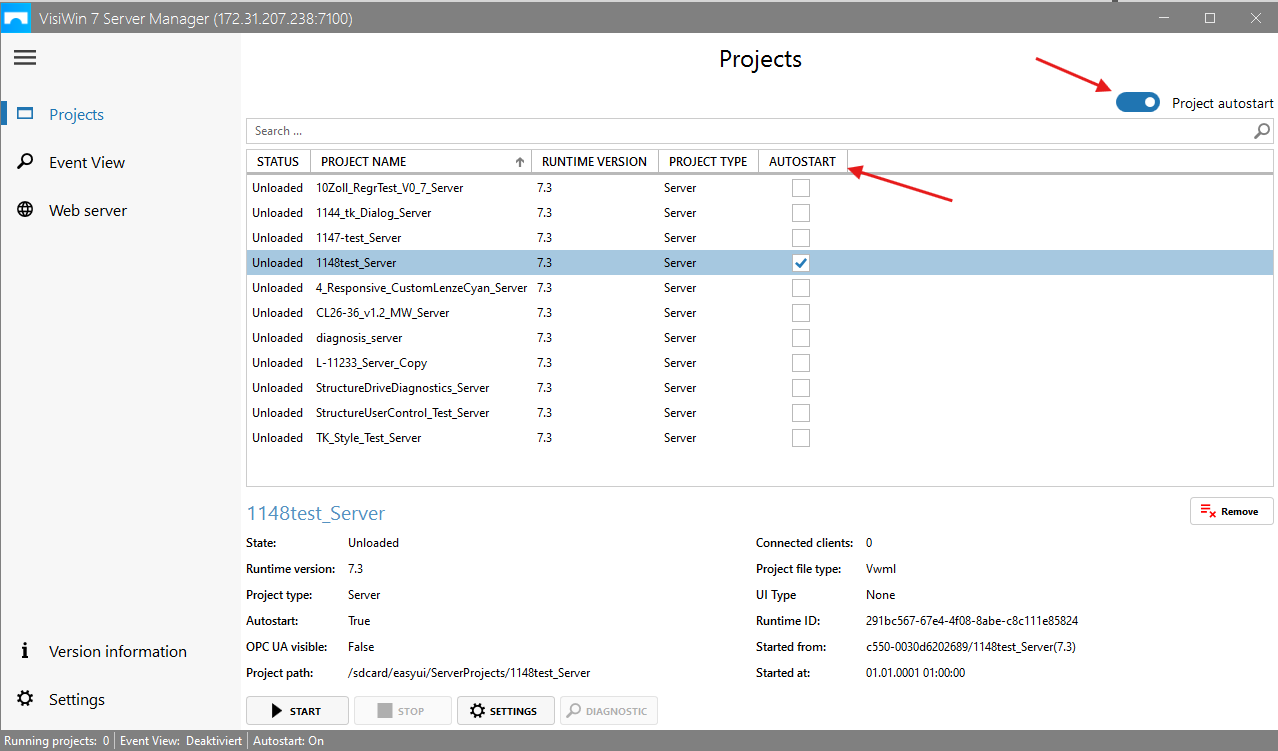
The Server Manager can now be opened centrally in the Target Device Manager. It provides an overview of all server projects and their status and, starting with EASY UI Designer version 1.8, allows you to set them to Autostart by activating the corresponding checkbox.
Included in the following products:
EASY UI Designer V1.8
Application:
What has changed?
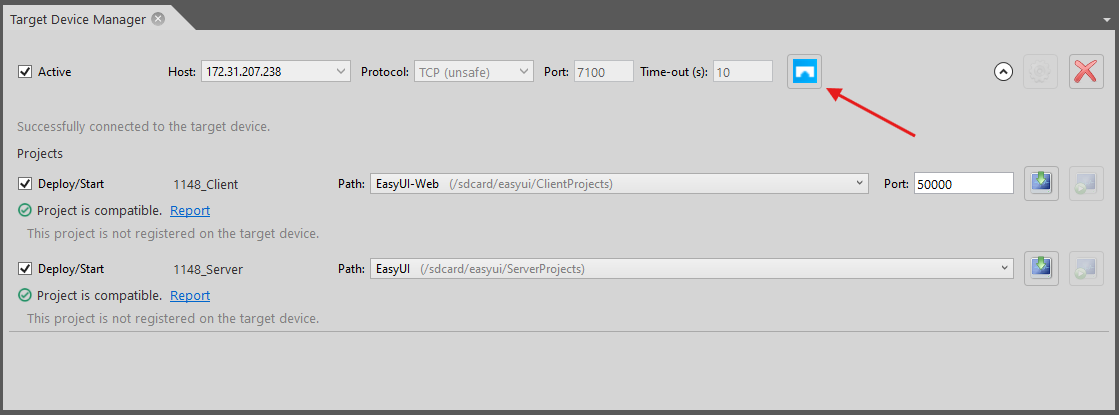
The previous icon in the menu bar has been removed. Access is now exclusively via the target device manager.
The blue icon opens the Server Manager.
All server projects are listed here and can be set to autostart using the checkbox. The advantage of this function is that it speeds up the project start-up time, so this setting is recommended.