Error message when reading in parameter files from older software versions
Question:
Why does GDC report a conflict when reading in parameter set files which were created on the basis of an older software version of a drive controller?
Answer:
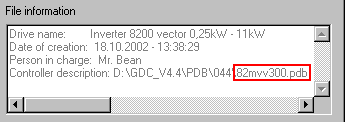
When saving parameter sets to a file the status of the device description (PDBId=...), under which the parameter set was created, is saved along with it. When reading in a parameter set as a file, GDC compares this information with the current version of the device description. If a difference is detected, the following message will appear:
'Parameter set does not match the drive controller. Do you want to save it nevertheless?'
This message can be acknowledged if the drive controller to which the parameters are to be transferred is of the same type as the drive controller on which the file was created. Only then is the code assignment identical in the various software versions. This means that a parameter set transfer to a servo inverter 9300 will not work with a file which was created on positioning controller 9300. Code conflicts would occur.
GDC now reads the parameters from the file to the PC. Then the parameter sets have to be transferred to the drive controller. It is recommended that the configuration be saved to a new file. However, it is advisable to first of all read the current one (or all the parameter sets if necessary) from the drive in order to also save the codes correctly which the old data set did not contain.
Note:
The status of the device description with which a parameter set file has been created can be monitored when loading into the file selection box.