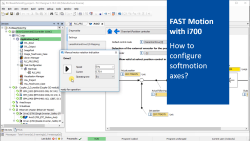
FAST Motion with i700 (part 4): How to configure softmotion axes?

FASTMotionWithi700_ConfigureMotion_Thumbnail.png

Content:

  1. Set up soft motion axes
    1. Change name of the axes
    2. Open tab 'Settings' of the motion axis
    3. Set 'Mechanical data'
  • Mounting direction
  • Gear ratio ('Gear numerator' and 'Gear denominator')
  • Traversing range
  • Set 'Basic settings'
    • Disable 'Following error'
  • Set 'Homing'
  • Set 'Position controller'
  • Going online and check functionality
    1. Select 'Manual control' of the drive
    2. Set parameter for manual control in the dialog 'Manual motor rotation indication'
    3. Start operation
  • Create boot application
  • Duration:
    05:13 min​


    Video:

    How to configure softmotion axes & how to use manual control?


    Link list​:

    Next video: How to insert an AxisBasicControl function block?

    Previous video: How to add an i700 in the PLC project?


    You will find more information about the Lenze training on the Lenze Website: Training Service


    URL for linking this AKB article: https://www.lenze.com/en-de/go/akb/202400208/1/
    Formulario de contacto