What happens?
The functions of the Engineer menu bar cannot be accessed with the mouse anymore. The menu bar can only be accessed via the keyboard.
When does the problem occur?
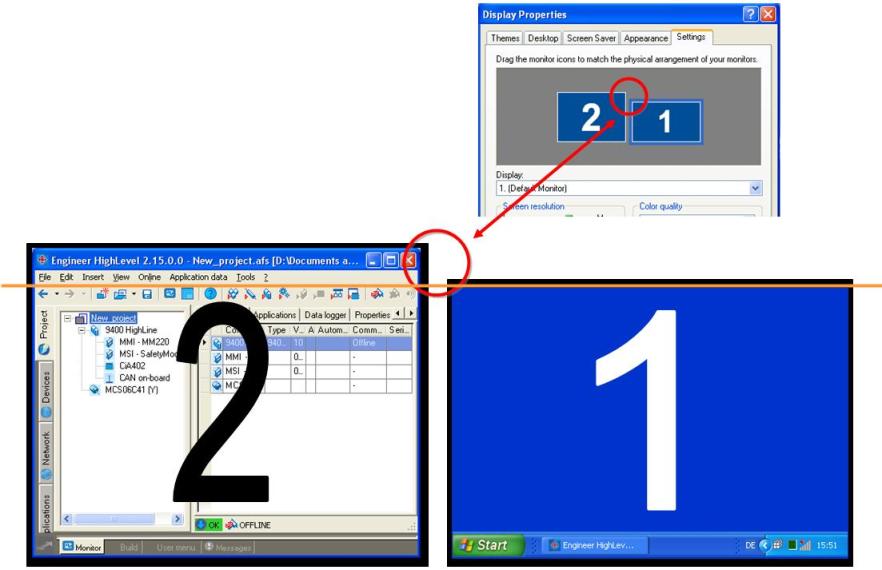
If the PC is used with two screens and if the L-force Engineer is on the second screen, the menu bar, the toolbar and the buttons in the headline (close, minimise, …) cannot be accessed with the mouse anymore if the Engineer menu bar is above the upper edge of the first screen (see picture below).
Which products are affected?
L-force Engineer HighLevel V2.15 and lower
L-force Engineer StateLevel V2.15 and lower
Possible diagnostics?
None.
Short-term measures/recommendations?
The function restriction does not occur any longer if the upper edge of the second monitor is removed on the same hight of the first monitor via the Display properties dialog (Settings > system control > Display).
Evaluation:
The function restriction only occurs if several screens are used and can easily be corrected by adapting the display properties.