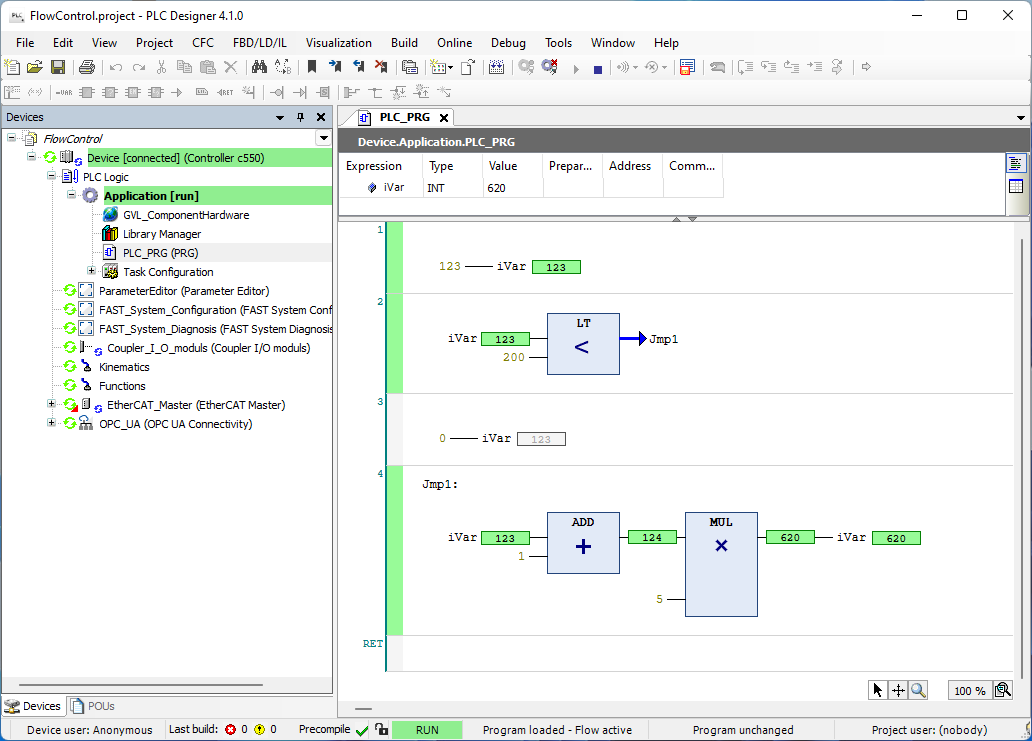
You can use the Flow Control Mode to track the processing of the application program. Flow Control Mode is available for the ST, FBD, LD and CFC language editors.
With activated Flow Control Mode, the PLC Designer displays the values of variables, the results of function calls and operations at the respective processing position and at the respective processing time. The exact lines of code or networks that are run through in the current cycle are highlighted in color. Flow Control Mode works in all currently visible parts of the currently open editor window. Flow Control Mode activated is displayed in the status bar as long as the function is active and Flow Control Mode positions (parts of the code that have been run through) are visible in an editor window.