Functionality enhancement:
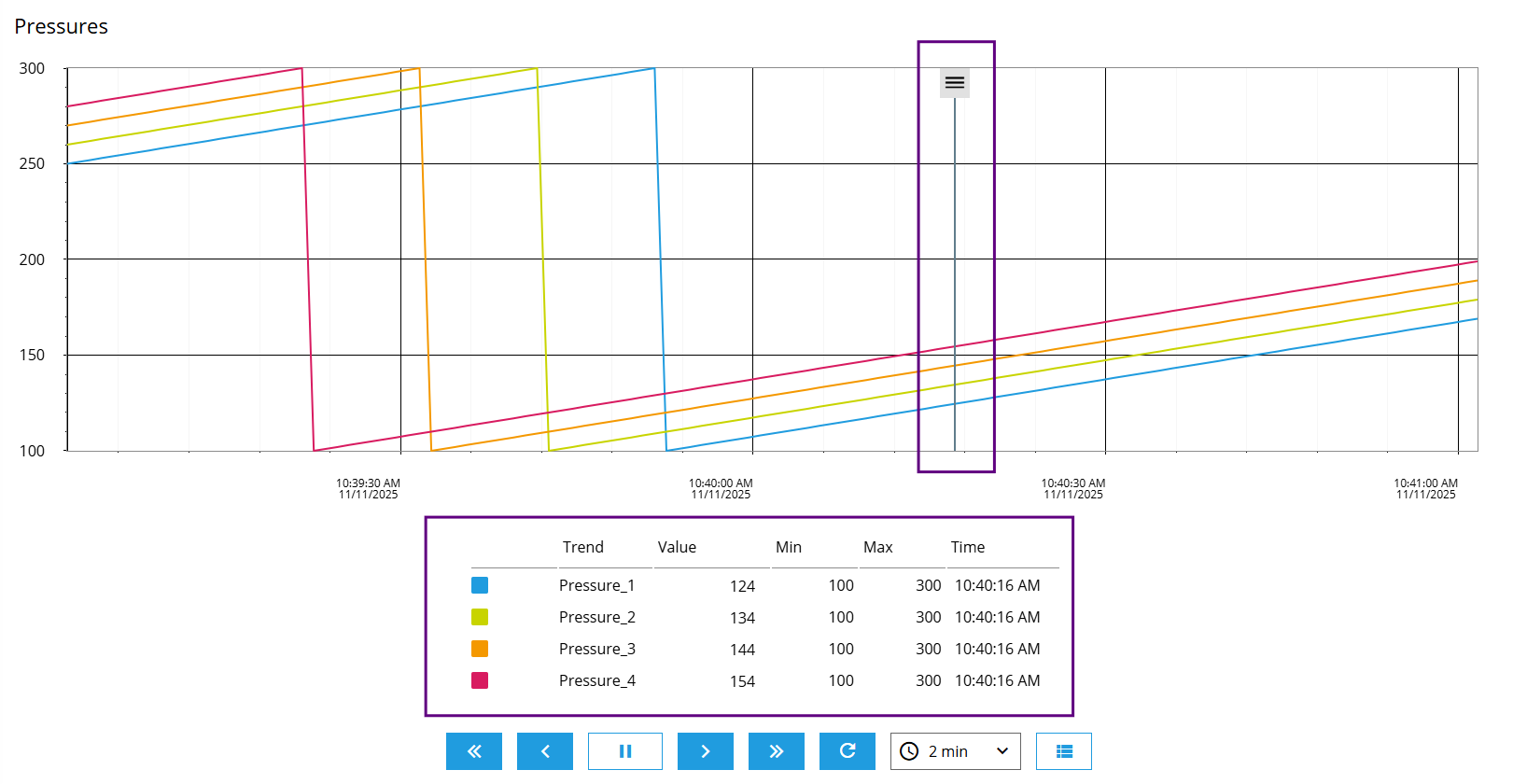
As an enhancement to the trend system, the new version 1.8 also includes a trend legend and a marker. The trend legend provides an overview of the properties of all series, such as trend name, current value, min and max values, and a corresponding timestamp. The marker can be moved on the timeline to display the specific trend values at that point in time.
Included in the following products:
EASY UI Designer V1.8
Application:
In a newly created project, the TrendChartLegend is included in the TrendsPage.
If you want to integrate the legend into an existing project, you need to follow these steps:
- Update the project using the project configurator
- Add a new TrendsPage to the project from the templates
- The trends that have already been configured must be reconfigured in the added page, as the marker is part of the TrendChart.
- The previous trend page can be deleted.
Note:
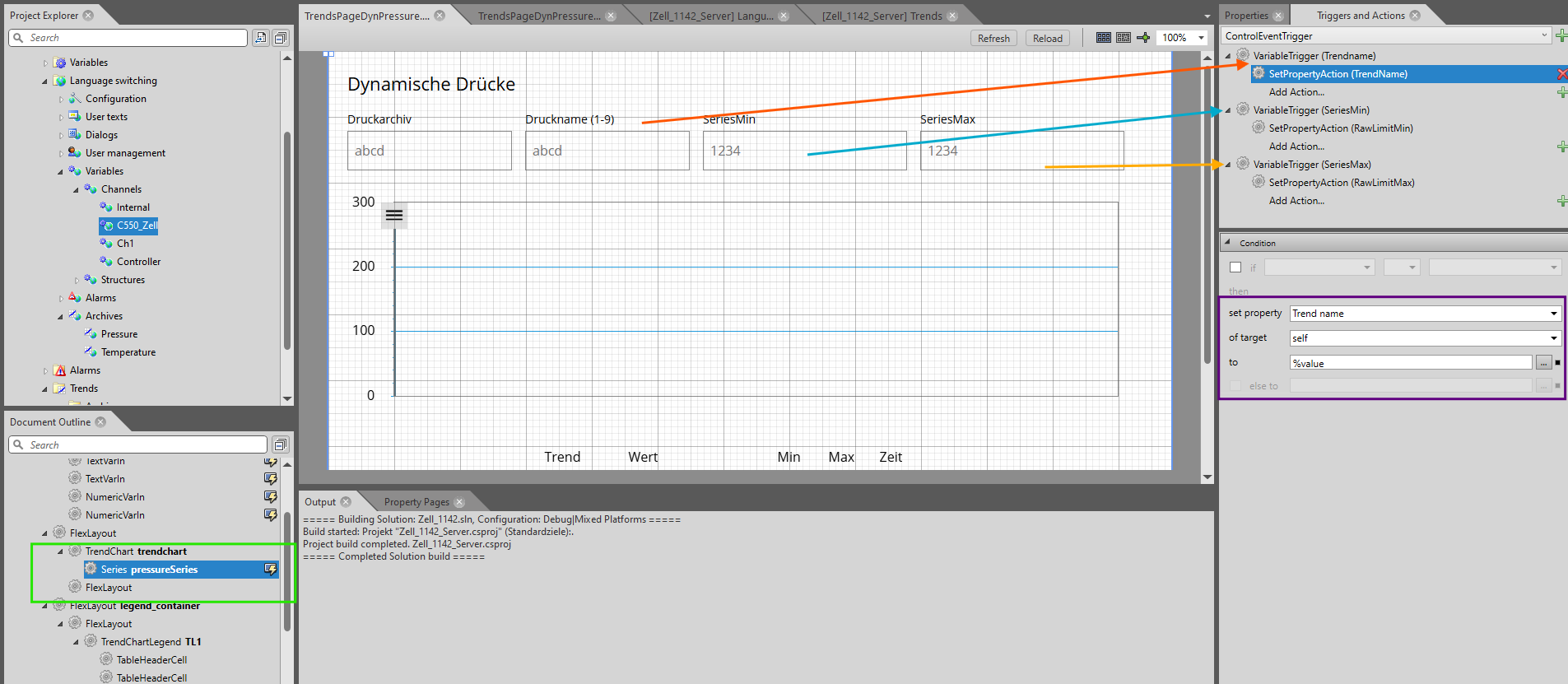
It is now also possible to make the series dynamic, i.e., to change the connection to a trend in the current project. This is done using the setPropertyAction, which is linked to the series and sets the Trend name property to the corresponding new name from a variable (see screenshot). The prerequisite for this is that both trends are located in the same archive.